Gym digital signage and digital signage for gyms that follows the class timetable
Gym digital signage is a set of screens at reception, outside each studio and on the floor that a club runs from one panel: the class timetable, what is on now and next, membership and personal training offers, and holiday hours. Displayer runs it in the browser of the TVs a club already owns, with no player per screen, changes the loop by daypart, lets each club edit its own screens, and costs from 9 USD per active screen per month on the yearly rate. A single club with four screens pays 432 USD a year.
Build a gym screen right here, without an account
The screen builder below opens on a gym. Type your club name and three messages, pick a layout, and watch the screen run its loop, with the early, daytime and evening dayparts on a weekly grid.
- Venue: restaurant, retail store, clinic, gym, office, school, plant floor, church, senior living or real estate office
- Orientation: landscape 16:9 or portrait 9:16
- Layout: full bleed, main plus sidebar, or a menu board in three columns
- Content: your business name and three short lines, prefilled for the venue you picked
The schedule strip underneath shows the same playlist placed on a weekly grid, which is exactly what the schedule view does inside the product.
What club screens carry
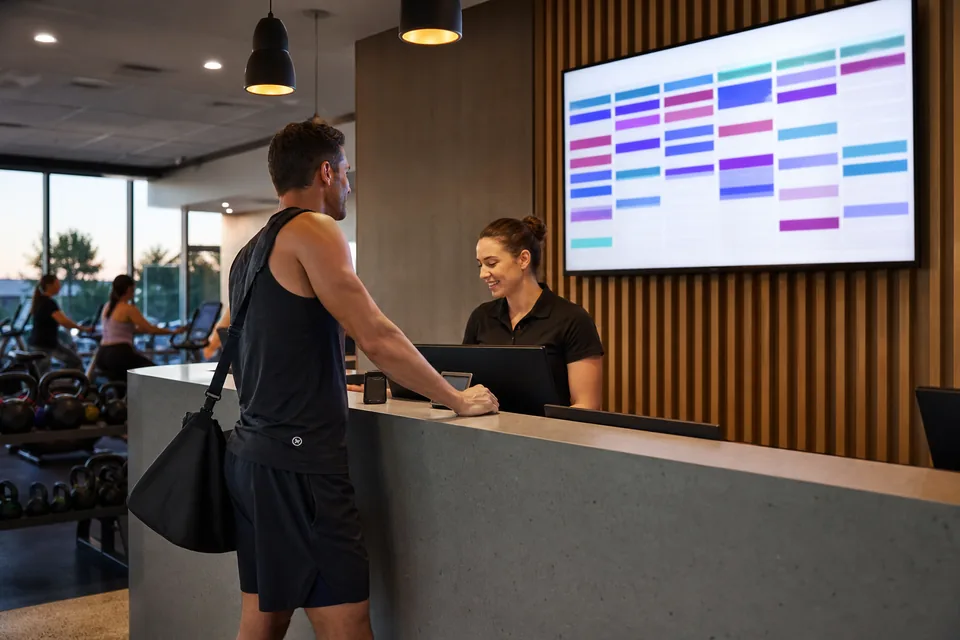
A member spends somewhere between thirty seconds and a couple of minutes at reception, in the queue for the desk or waiting for a friend, and that is the screen that sells. The studio door screens do a different job: they answer the question a member would otherwise walk over to the desk to ask.
- The class timetable, by studio and by hour, updated when the timetable is
- Studio door screens showing what is on now and what is next, and which instructor is taking it
- Membership offers, personal training packages and challenge sign-ups at the desk, where people decide
- Induction and safety notices where new members arrive, and equipment notes on the floor
- Opening hours over holidays, which is the single most asked question at reception
- App download and referral prompts in the queue at the desk
- Quiet screens in changing areas, on their own schedule and their own permissions
Gym signage in the printed sense, the rules board by the free weights or the etiquette poster in the changing room, stays useful. A digital screen earns its place where the message changes every week or every hour: the timetable, the offer and the notice.
The timetable comes from the system you already book classes in
Most clubs already publish their class schedule on their website through their booking system's schedule widget or a public schedule page. A web page item puts that page on the screen exactly as it is, so when a class moves studio or an instructor swaps, the screen changes when the booking system does and nobody retypes anything. If the full web page is too busy for a TV, point the item at a filtered view for one studio or one day.
On the Network plan the API lets a developer push the timetable or a member count straight into a notice on the screen. For most clubs the web page route is enough and costs nothing extra.
Screens that match the day

Morning before work, mid morning quiet hours, the after school rush and the evening peak are different audiences in the same room. Dayparts change the loop at the hours you set, so an evening peak message is not running to an empty floor at eleven in the morning, and the 6 a.m. regulars see the early classes rather than the kids' swim program.
A dated campaign, like a January membership promotion or a summer challenge, sits on top for the weeks it runs and steps aside afterwards on its own. Nobody has to remember to take the New Year offer down in February.
Fitness digital signage for a chain of clubs
Tag screens by club, region or area of the club, and schedule against the tag. One offer reaches every reception in the group, while each club manager keeps control of their own studio doors and local notices. Roles keep a club manager inside their own club, and approval means a group-wide offer is checked once before it reaches every screen.
Proof of play shows which clubs had the promotion up and on which days, and on Professional it stores timestamped screenshots of what each screen actually showed. That matters when a supplementary brand, a sports drink or a physio partner paid for the placement and wants to see it, and when a franchisor asks whether a franchisee ran the national campaign.
Team members are free on every plan, so every club manager, front desk lead and marketing coordinator gets their own login without a seat fee.
Use the TVs the club already has
A screen with a browser pairs by opening a URL and typing a six digit code into the panel. That covers most smart TVs bought in the last few years. Older TVs take a small Android stick, a Chrome device or a Windows mini PC behind them, usually 30 to 60 USD, and there is no proprietary player to buy per screen.
Commercial displays are worth it at reception and on the gym floor, where screens run 16 hours a day in a humid room. A consumer TV is fine on a studio door that runs for opening hours. When the broadband drops, every screen keeps playing what it already downloaded, the timetable page as last fetched included, and sends its play records when the line returns.
Cardio area TVs that show live channels are a different product. Displayer does not carry cable or satellite channels, so those screens keep their TV feed, and the signage goes on reception, studio doors and the floor.
Gym digital signage software compared
Four platforms gym operators commonly price, with list rates as published on each vendor's pricing page when we last checked them.
| Yodeck | OptiSigns | ScreenCloud | Displayer | |
|---|---|---|---|---|
| Per screen monthly | Basic 8, Premium 12, Enterprise 16 USD | Standard 10, Pro 12.50, Pro Plus 15 USD | Core 20, Pro 30 USD on the annual rate | Essential 19 or 9 yearly, Professional 29 or 14 yearly |
| Player | Free Yodeck player with an annual license | Its own player or apps for common devices | Apps for common devices | Browser on the TVs you own |
| Schedule from a web page | Yes | Yes | Yes | Yes |
| Proof of play | Reports on higher tiers | Logs from Pro | Logs on Pro | Play record plus screenshots on Professional |
| Team members | Varies by plan | Varies by plan | Varies by plan | Free on every plan |
Yodeck and OptiSigns are cheaper per screen, and for a single club that only needs a timetable on two screens either one is a sensible buy. Displayer is worth the difference when you run several clubs with several people editing, or when somebody pays for screen placements and wants to see them.
What a club pays
Billed per active screen, so a club with reception, two studio doors and a gym floor screen counts as four. Accounts start at three screens.
| Club size | Screens | Essential yearly | Professional yearly |
|---|---|---|---|
| One studio | 3 | 324 USD | 504 USD |
| One club | 4 | 432 USD | 672 USD |
| 12 clubs at 5 screens each | 60 | 6,480 USD | 10,080 USD |
Essential covers the weekly schedule, templates, offline playback and unlimited editors. Professional adds dayparts, dated campaigns, club tags, roles, approvals and screenshot proof of play, which is the plan most chains end up on. Monthly billing is 19 USD on Essential and 29 USD on Professional. The pricing page has the full table.
How much does digital signage for a gym cost?
Hosted gym digital signage software costs roughly 8 to 30 USD per screen per month. Displayer is 19 USD monthly or 9 USD on the yearly rate per screen, so a club with four screens pays 432 USD a year on Essential. Add a commercial display at reception if you need one, and nothing for a player when the TV has a browser.
What should a gym put on its digital signage?
The class timetable by studio, what is on now and next outside each studio door, membership and personal training offers at reception, holiday hours, induction and safety notices for new members, and app or referral prompts in the desk queue. Keep each message short enough to read in the few seconds someone looks up.
Can the screens follow our timetable system?
Yes. A web page item shows your booking system's public schedule page on the screen exactly as it is, so the screen follows the source when classes change. On the Network plan the API can push the timetable or other data into a notice directly.
Can each club change its own screens?
Yes. Roles scope a club manager to their own club's screens, and approval before publishing means a group-wide offer is checked once before it reaches every reception. Every team member is included on every plan.
Do we need a separate player for every gym TV?
No. Any TV with a browser plays Displayer after you open a URL and type a pairing code. Older TVs take a small Android, Chrome or Windows device behind them, which most clubs buy for 30 to 60 USD rather than a proprietary signage player.
What happens during a broadband outage?
The screen keeps playing what it downloaded, including the timetable page as last fetched, and uploads its play records when the line returns. Members see the last good schedule rather than a blank screen or an error.
Can we show sponsor and partner ads on gym screens?
Yes. Put partner content in its own playlist, schedule it by club and daypart, and on Professional the play record and timestamped screenshots show which clubs ran it and when. That is the evidence a sponsor or a franchisor usually asks for.
Do we need a music license for video on gym screens?
If a loop plays music out loud in the club, it is a public performance like your overhead music, and US gyms cover that with licenses from the performing rights organizations. Silent loops, which is how most reception and studio screens run, avoid the question entirely.
Put the timetable on the wall
Start with the reception screen and one studio door, and let members stop asking at the desk.