Digital signage for real estate offices and real estate digital window displays
Digital signage for real estate puts your listings, open houses and agent team on a screen in the office window and the lobby, and changes them from one panel when a home goes under contract. Displayer runs in the browser of the display or TV you already own, covers every office in a brokerage from one login, includes every agent and office admin at no seat cost, and on Professional keeps timestamped screenshots of what each window showed, which a listing agent can put in a seller's marketing report. It costs from 9 USD per screen a month on the yearly rate, so a three screen office pays 324 USD a year.
Build a listing screen in two minutes
The builder below is the same player a paired screen runs. Type your brokerage name and three lines, switch to portrait for a window display, and watch the loop change with its live clock. It needs no account and no hardware, and it opens on a real estate office.
- Venue: restaurant, retail store, clinic, gym, office, school, plant floor, church, senior living or real estate office
- Orientation: landscape 16:9 or portrait 9:16
- Layout: full bleed, main plus sidebar, or a menu board in three columns
- Content: your business name and three short lines, prefilled for the venue you picked
The schedule strip underneath shows the same playlist placed on a weekly grid, which is exactly what the schedule view does inside the product.
A real estate digital window display that keeps up with the market
A printed window card goes stale the day a listing goes pending. A screen in the window shows twelve homes in the space of one card, rotates them day and night, and loses the sold one the minute someone in the office removes it.
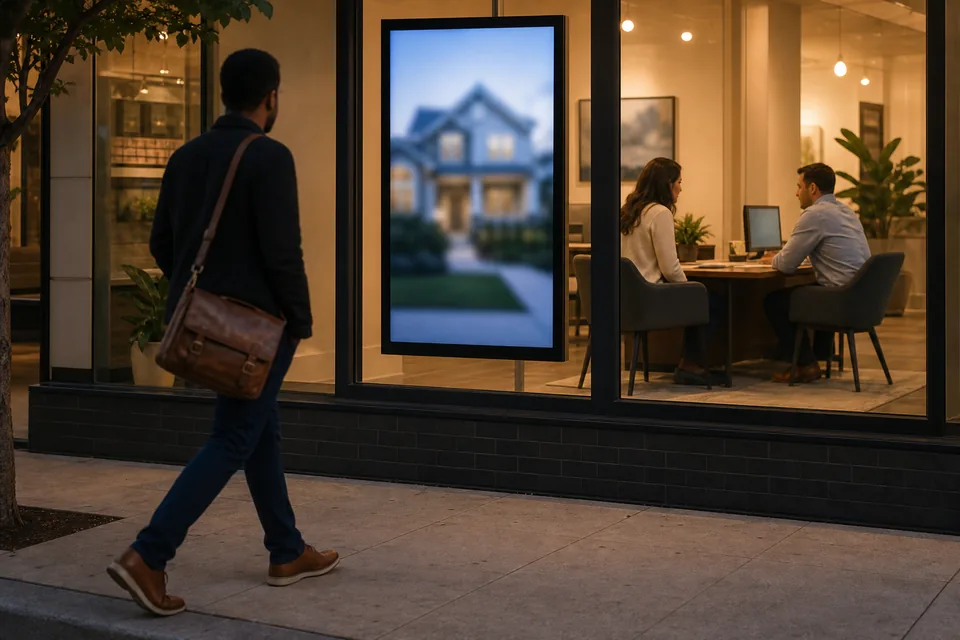
What works in a window, based on how people actually walk past one:
- One home per slide, one big photo. The exterior shot, the price, beds and baths, and the neighborhood. Passers-by give a window about three seconds, so a slide with six facts and a paragraph gets ignored.
- Portrait orientation. A tall screen fills a storefront pane the way a printed poster did and shows a house photo without crushing it. The builder above and every Displayer layout run in 9:16 as well as 16:9.
- A QR code on each slide. It links to the listing page on your website, so someone reading the window at 9 pm can book a showing without walking in.
- Seven to ten seconds per home. Long enough to read the price, short enough that a person waiting at a crosswalk sees three or four listings.
- Night hours that matter. Evening foot traffic is often higher than daytime on a high street, so the window keeps playing after the office closes and goes dark on a schedule you set.
Brightness is the part people get wrong. A regular TV puts out roughly 300 to 500 nits and washes out behind glass in daylight. A window facing the street usually needs a commercial high brightness display, commonly 2,500 nits or more for direct sun. Displayer runs on those displays the same way it runs on a TV, so the screen is a hardware choice you make once and the software stays the same.
Listings, open houses and status changes on schedule
Most offices start with a slideshow on a USB stick. It works until a home sells on Tuesday and stays in the window until somebody remembers on Friday, which is the kind of stale advertisement a seller notices and a buyer calls about.
In Displayer you upload each listing as an image or short video, or show a page of your own website as a web page item, and arrange them in a playlist for the window. When a listing goes under contract you swap the slide for a "pending" version or take it out, and every screen that carried it updates within the minute. A dated campaign puts Saturday's open house on screen from Wednesday and takes it down when the open house ends, without anyone in the office touching it. Dated campaigns and dayparts are on Professional; the weekly schedule grid is on every plan.
Your own listings are yours to show. Listings from other brokerages usually reach you through an IDX feed licensed for display on websites, so check your MLS rules before putting other brokers' homes on a window screen.
One panel for every office in the brokerage
A brokerage with several offices has two kinds of content: brand content that goes everywhere (recruiting, the mortgage partner, the year's top producers) and local content only one office needs (its own listings, its own open houses).

Tag each screen by office and by place (window, lobby, agent room) and schedule against the tag. The recruiting campaign goes to every lobby in one step, and the Westside office's listings stay in the Westside window. Office managers run their own screens, while the marketing lead keeps the brand consistent. On Professional, roles limit each person to their office and approvals let the managing broker check a slide before it goes live.
Displayer bills per active screen and includes unlimited team members on every plan, so adding every agent, transaction coordinator and office admin costs nothing.
Inside the office the same panel runs the lobby screen and the agent room: new listings this week, closings, the training calendar, the team's reviews, and a welcome for the client arriving at 10.
Show sellers their home was in the window
Listing agents promise exposure in the listing presentation, and sellers ask about it later, usually when the home has sat for a few weeks. A playback log tells you a file was scheduled. A screenshot shows what the window actually displayed.
On Professional, every paired screen stores timestamped screenshots of what it was showing. Pull the ones for a listing's window and put them in the weekly seller update next to showings and online views. When the home sells, the same record shows the sold slide went up and the old price came down, which matters if a buyer ever claims they saw a different number in the window. See proof of play for what the record contains.
Where real estate screens earn their keep
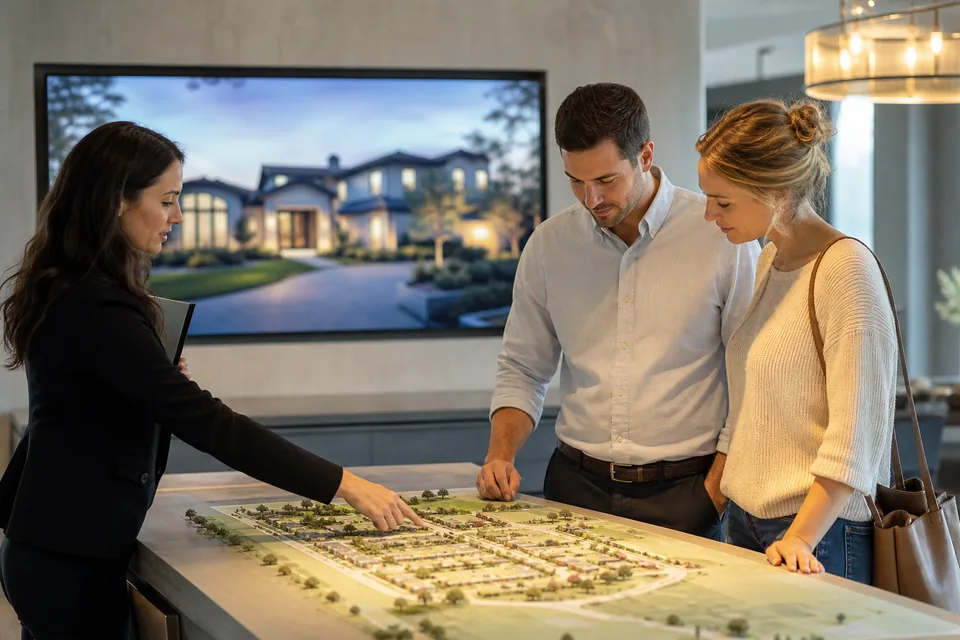
- Brokerage storefront windows. Rotating listings, open houses and a QR code to book a showing, playing after hours.
- Office lobbies and reception. Featured listings, agent team, recent sales and a client welcome.
- Agent rooms. New listings, price changes, closings, training dates and recruiting.
- New home sales centers. Model home tours, lot availability, incentives that end on a date, and the mortgage partner's rate offer, changed by the builder's marketing team for every community at once.
- Leasing offices. Available units, move-in specials and tour times for apartment and commercial leasing teams, who also run digital building directory screens in their lobbies.
Advertising rules a window screen still has to follow
A listing on a screen is an advertisement, so the rules that apply to your print ads apply to it too. Most state real estate commissions require the brokerage name on every ad, and some, California among them, also require license numbers on solicitation materials. Fair housing rules on advertising apply to a window the same way they apply to a flyer, and many brokerages add the Equal Housing Opportunity logo to every slide.
Templates in Displayer have layout zones, so the marketing lead can put the brokerage name, logo, license line and Equal Housing Opportunity mark in a sidebar or ticker zone that runs under every slide. An agent adding an open house only changes the main zone, and the required line stays where it is. The rules themselves vary by state, so confirm the exact wording with your managing broker.
Use the displays you already have
Any smart TV or commercial display with a web browser pairs with Displayer by opening a URL. An older TV takes a small Android stick, a Chrome device or a Windows PC as the player, typically 30 to 100 USD. There is no proprietary signage box to buy for each screen, and a window display from any manufacturer works as long as it can open a web page. If the building's Wi-Fi drops, every screen keeps playing from local storage and catches up when the connection returns.
Real estate digital signage software compared
These are general signage platforms with published per screen rates and real estate use cases. Rates read at each vendor's site in September and October 2026.
| Yodeck | OptiSigns | Screenly | Displayer | |
|---|---|---|---|---|
| Entry price per screen | Basic, 8 USD | Standard, 10 USD monthly or 9 USD yearly | Starter, 15 USD yearly, 1 to 5 screens | Essential, 19 USD monthly or 9 USD yearly |
| Player | Yodeck player included on the annual plan | Your own device | Screenly Player 219 USD, or your own device | Browser on the display you own |
| Portrait window layouts | Yes | Yes | Yes | Yes |
| Multi-office control | By plan | By plan | Business, 5 screen minimum | Tags, roles and approvals on Professional |
| What proof of play shows | Playback reports from Premium | Proof of play log from Pro | Live screenshot on the Screens page | Play record plus stored screenshot history on Professional |
Honest notes: Yodeck is the cheapest per screen and ships a player, which suits a single office that wants one box per screen. OptiSigns has the largest app library if you want a weather or mortgage rate widget on every slide. Displayer suits the brokerage with several offices that wants every agent in the system at no seat cost, listings that change from one panel, and a stored screenshot history to show sellers what their window carried.
What a brokerage pays
Billed per active screen, so an office with a window display, a lobby screen and an agent room screen counts as three. Every agent and admin is included.
| Plan | Per screen monthly | Per screen yearly | What a brokerage gets |
|---|---|---|---|
| Essential | 19 USD | 9 USD | Weekly schedule, portrait and landscape templates, offline playback, unlimited agent editors |
| Professional | 29 USD | 14 USD | Open house campaigns by date, dayparts, office tags, roles, approvals, screenshot proof |
| Network | 49 USD | 24 USD | Single sign-on and the full audit log for large brokerages and franchise groups |
One office with three screens on Essential yearly pays 324 USD for the year. A brokerage with six offices and four screens each, 24 screens on Professional yearly, pays 4,032 USD. The pricing page lists every feature per plan, and what a screen network costs covers displays, mounts and installation.
How much does digital signage cost for a real estate office?
Signage software with published rates runs about 8 to 30 USD per screen a month. Displayer is 9 USD per screen on the yearly rate, so an office with three screens pays 324 USD a year. The display is the larger cost: a TV for the lobby, and for a sunny window usually a high brightness commercial display.
What should a real estate window display show?
One home per slide with a large exterior photo, the price, beds, baths and neighborhood, plus a QR code to the listing page. Add open houses a few days ahead, recent sales and a recruiting slide, and keep each home on screen for seven to ten seconds so people walking past see several.
How bright does a window display need to be?
A regular TV at 300 to 500 nits washes out behind glass in daylight. A window that gets direct sun usually needs a commercial high brightness display, commonly 2,500 nits or more. A shaded or north facing window can get by with less, so look at the window at noon before buying.
Can I show MLS listings on a digital sign?
You can always show your own listings. Other brokerages' listings usually come through an IDX feed licensed for websites, and MLS rules on other displays vary, so check with your MLS before putting them in the window. A web page item can show a listings page from your own website.
How do I update listings on the screen when a home sells?
Replace the slide with a sold or pending version, or remove it from the playlist in the panel. Every screen that carries it updates within the minute, in every office. Open house slides set as dated campaigns come down on their own when the event ends.
Can each office manage its own screens?
Yes. Tag screens by office, and on Professional give each office manager a role limited to their own screens, with approvals for the managing broker. Brand content still goes to every office in one step, and every agent and admin is included at no seat cost.
Do I need a separate player for every screen?
No. A smart TV or commercial display with a web browser runs Displayer by opening a URL. A screen without a usable browser needs one small device, an Android stick, a Chrome device or a Windows mini PC, rather than a proprietary signage box.
Can I prove to a seller that their home was advertised in our window?
Yes, on Professional. Each screen stores timestamped screenshots of what it showed, so a listing agent can add the window screenshots to the seller's weekly marketing update. A playback log only shows a file was scheduled; a screenshot shows the window.
Start with the window
Put your listings in the window for a month and add a QR code to each one. If the scans and walk-ins come, add the lobby and the other offices. Three screens is the smallest account.