Digital signage for hospitals and healthcare digital signage software for every building
Digital signage for hospitals runs the lobby, the waiting areas, the cafeteria and the staff break rooms from one panel, so communications, facilities and each department change their own screens without calling IT. Displayer plays in the browser of the TVs and displays the hospital already owns, keeps playing from local storage when the network drops, pushes an urgent notice to every screen in one step, and includes every editor at no seat cost. Professional keeps timestamped screenshots of what each screen showed, which answers "was that notice actually up on night shift". It costs from 9 USD per screen a month on the yearly rate, so a 40 screen hospital pays 6,720 USD a year on Professional.
Build a hospital screen in two minutes
The builder below is the same player a paired screen runs. Type a department name and three lines, switch to portrait for a corridor display, and watch the loop change with its live clock. It needs no account and no hardware, and it opens on a healthcare venue.
- Venue: restaurant, retail store, clinic, gym, office, school, plant floor, church, senior living or real estate office
- Orientation: landscape 16:9 or portrait 9:16
- Layout: full bleed, main plus sidebar, or a menu board in three columns
- Content: your business name and three short lines, prefilled for the venue you picked
The schedule strip underneath shows the same playlist placed on a weekly grid, which is exactly what the schedule view does inside the product.
Where hospital screens go, and what each one carries
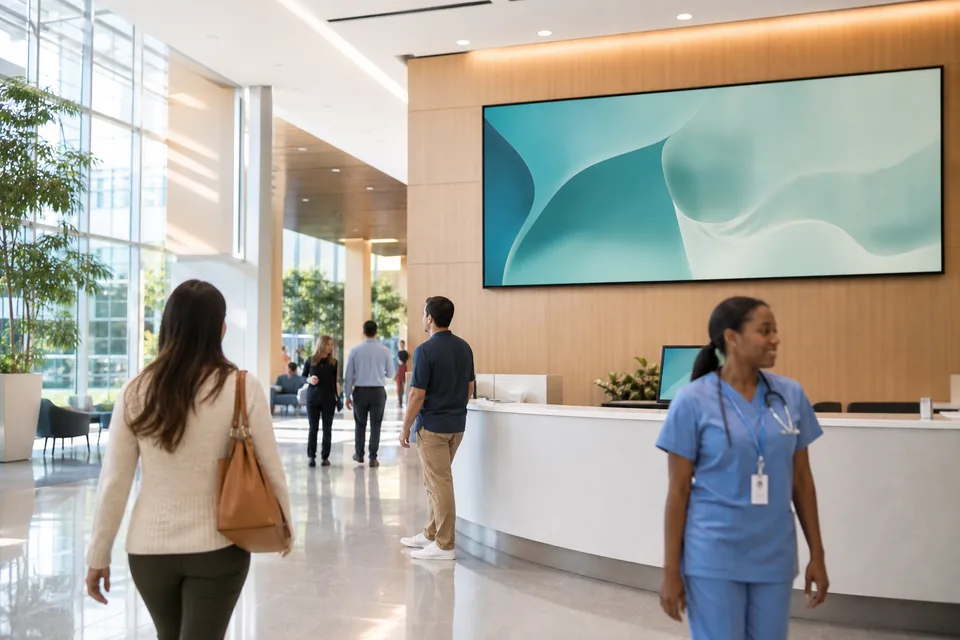
A hospital is several audiences under one roof, and each screen should be written for the people standing in front of it. Treat them as separate playlists from day one.
- Main lobby and information desk. Visiting hours, the parking and shuttle schedule, the cafeteria hours, a map of the floor, flu shot clinics and the patient portal sign-up. Visitors read it while they wait for the elevator, so keep it to one message per slide.
- Emergency department and outpatient waiting rooms. What happens after triage, why someone who arrived later may be seen first, where to get water, how to reach a nurse, and the patient portal. Hospitals that publish an ED wait time can show it as a web page item from their own site.
- Cafeteria and coffee bar. The day's menu by meal period, prices and the allergen notes, changed by dining services rather than by marketing.
- Staff break rooms and nurse stations away from patients. Shift huddle topics, staffing notices, the education calendar, infection prevention reminders, recognition and employee benefits enrollment dates.
- Corridors and elevator lobbies. Wayfinding prompts by floor, hand hygiene, and fall prevention messages.
- Medical office buildings and outpatient clinics on the same campus or across the health system, each with its own local content. A standalone practice usually starts with waiting room screens for clinics.
Every department edits its own screens, nobody pays for a seat
Hospital signage usually fails for one reason: every change has to go through one person in marketing or IT, so the screens run last month's content. The fix is to let the people who own the message publish it, inside limits.
Tag every screen by building, floor and type (lobby, waiting, cafeteria, staff). Give dining services the cafeteria tag, the education department the staff screens on its floors, and the ED manager the ED waiting room. On Professional, roles keep each editor inside their own tag, and an approval step lets communications check a slide before it goes live on a public screen. Brand and system-wide campaigns still go to every lobby in one step.
Displayer bills per active screen and includes unlimited team members on every plan. A hospital with 60 people who touch the screens pays the same as one with six, which matters when per-seat pricing elsewhere turns department editors into a budget line.
Urgent notices on every screen at once
When something happens in the building (a severe weather warning, a lockdown, a water outage, a facility evacuation) the screens in public areas should stop advertising the flu clinic and say what people need to do. Displayer lets a person with the right role push an override to every screen, or to one tag such as "Tower B" or "all public screens", and lift it when the event ends. Every screen returns to its normal playlist on its own.
Many hospitals have moved overhead codes from colors to plain language. ASPR TRACIE, the HHS technical assistance center, has published guidance on plain language emergency alerts, and state hospital associations in Washington, Wisconsin, Colorado and others recommend standard plain language phrasing. Write your override slides in the same words your overhead page uses ("Severe weather, move away from windows") so visitors read the instruction the staff hear.
Screens are one channel in your emergency communication plan, not the system of record. Overhead paging, the mass notification system and clinical alarms stay where they are, and a screen supplements them in places where visitors gather.
Proof that a notice was on the wall
Infection prevention, accreditation surveys and incident reviews tend to ask the same question afterwards: what did the screens in that area say, and when. A playback log tells you a file was scheduled. On Professional, every paired screen also stores timestamped screenshots of what it actually displayed, so you can show the masking notice in the ED waiting room on the night it mattered, or confirm a visiting hours change reached every lobby.
Screenshots and the play record export per screen and per date. See proof of play for what the record contains.
Patient privacy and the notices that must stay printed
Public screens should never carry protected health information. That means no patient names on a waiting list, no room numbers next to names and no clinical details. If a department wants a "now serving" display, use ticket numbers or initials that the patient chose, and agree the format with your privacy officer. Displayer stores the media you upload and the play record; it does not connect to the EHR and holds no patient records.
Some notices have to be posted as signs by regulation, and a rotating screen does not replace them. Hospitals with an emergency department must post the EMTALA signs required by 42 CFR 489.20(q) conspicuously in the ED, and providers covered by the No Surprises Act must post the patient protections disclosure prominently in the facility. Keep the printed signs in place and use the screen to repeat the message, never as the only copy.
For the security review, Displayer runs in a browser or a small player app, needs outbound HTTPS only, has no on-premises server to patch, and supports single sign-on with SAML on Network. The security page has the details your IT team will ask for.
Use the TVs and displays you already have
Any smart TV or commercial display with a web browser pairs with Displayer by opening a URL. An older TV takes a small Android stick, a Chrome device or a Windows PC as the player, typically 30 to 100 USD. There is no proprietary signage box per screen, and mixed estates of Samsung, LG and other brands run from the same panel, which matters if the hospital is planning its move off an on-premises server after the Samsung MagicINFO end of sale.
Clinical networks are often segmented and locked down. Put signage players on a guest or IoT VLAN with outbound HTTPS, and every screen keeps playing from local storage if that network drops, catching up when it returns.
Healthcare digital signage software compared
These platforms publish rates or are common in hospitals. Rates read at each vendor's site or listing in September and October 2026.
| Rise Vision | Yodeck | Carousel Cloud | Displayer | |
|---|---|---|---|---|
| Entry price per screen | About 10 to 14 USD a month by volume | Basic, 8 USD a month | Listed from about 25 USD per player a month | 19 USD monthly or 9 USD yearly |
| Emergency alerts | CAP emergency alerts | Emergency messaging | CAP and alert integrations | Override to every screen or one tag |
| Editors | Per plan | Per plan | Per tier | Unlimited on every plan |
| Proof of what played | Activity and alert logs | Playback reports from Premium | Reporting | Play record plus stored screenshots on Professional |
| Hardware | Your own player or display | Yodeck player on annual plans | Carousel players or approved devices | Browser on the display you own |
Honest notes: Yodeck is cheaper per screen and ships a player, which suits a single building that wants one box per screen. Rise Vision and Carousel have deeper CAP alert integrations if your safety team wants the signage platform wired to a mass notification system. Displayer suits the hospital or health system that wants every department editing its own screens at no seat cost, no server to run, and a stored screenshot history for surveys and incident reviews.
What a hospital pays
Billed per active screen. Every editor in every department is included.
| Plan | Per screen monthly | Per screen yearly | What a hospital gets |
|---|---|---|---|
| Essential | 19 USD | 9 USD | Weekly schedules, templates, offline playback, unlimited editors |
| Professional | 29 USD | 14 USD | Building and floor tags, roles, approvals, dayparts, dated campaigns, screenshot proof |
| Network | 49 USD | 24 USD | Single sign-on with SAML, full audit log, SLA, API and webhooks |
A 40 screen hospital on Professional yearly pays 6,720 USD a year. A health system with 150 screens across a hospital and its outpatient sites pays 43,200 USD a year on Network, with SSO for the whole staff directory. The pricing page lists every feature per plan, and what a screen network costs covers displays, mounts and installation.
How much does digital signage cost for a hospital?
Software with published rates runs about 8 to 30 USD per screen a month. Displayer is 14 USD per screen on the yearly Professional rate, so 40 screens cost 6,720 USD a year. Displays, mounts and cabling are the larger first-year cost, often 500 to 2,000 USD per screen installed.
What should be displayed on hospital digital signage?
Visiting hours, parking, wayfinding prompts, cafeteria menus, the patient portal, flu and screening clinics, hand hygiene and fall prevention in public areas. Staff screens carry shift huddle topics, education dates, staffing notices and recognition. Never patient names or other protected health information.
Is digital signage HIPAA compliant?
A screen is compliant when it shows no protected health information, which is how hospital signage should be set up. Use ticket numbers instead of names on any queue display. Displayer holds only the media you upload and the play record, with no connection to the EHR.
Can hospital digital signage show emergency alerts?
Yes. A person with the right role pushes an override to every screen or to one building or floor tag, and the screens return to normal when it is lifted. Write override slides in the same plain language your overhead page uses. Screens supplement paging and mass notification, they do not replace them.
Can different departments manage their own screens?
Yes. Tag screens by building, floor and type, and on Professional give each department a role limited to its own screens, with approval by communications before anything goes live in a public area. Every editor is included at no seat cost.
Does hospital digital signage need a server on site?
Not with Displayer. Screens play from the cloud over outbound HTTPS and cache content locally, so there is no signage server to patch. That is the main difference from on-premises systems such as Samsung MagicINFO, which reaches end of sale at the end of 2026.
Can the screens show ED wait times?
Yes, if the hospital already publishes them. A web page item shows the wait time page from your own website on the screen and refreshes on a schedule. Many hospitals also explain triage on the same playlist, which reduces questions at the front desk.
Can I prove what a screen showed on a given day?
Yes, on Professional. Each screen stores timestamped screenshots of what it displayed, alongside the play record, and both export by screen and date for surveys, incident reviews or infection prevention audits.
Start with one building
Pair the lobby, one waiting room and one break room for a month and let the departments that own them do the editing. When the screens stay current without a ticket to IT, add the rest of the campus. Three screens is the smallest account.