Displayer

XOGO alternative for digital signage without the player box

The usual XOGO alternative is a signage platform that plays in the browser of screens you already own and keeps a record of what played. XOGO Pro costs 20 USD per player a month, about 15 USD paid annually, and its Mini Max box is 69.99 USD per screen. Displayer Professional is 14 USD a screen on the yearly rate, 4,200 USD a year for 25 screens, with unlimited team members, approvals and proof of play with timestamped screenshots. XOGO is cheaper if you pay monthly and only need playback, and we say so below.

Build one of your XOGO screens before you renew

Type your business name and three notices, and the builder renders a working screen in your browser with the weekly schedule behind it. No account and no player to buy, so you can hold a real screen and a per screen price against your XOGO invoice.

Venue

Orientation

Layout

Put this on a screen
Weekly schedule
  • Venue: restaurant, retail store, clinic, gym, office, school, plant floor, church, senior living or real estate office
  • Orientation: landscape 16:9 or portrait 9:16
  • Layout: full bleed, main plus sidebar, or a menu board in three columns
  • Content: your business name and three short lines, prefilled for the venue you picked

The schedule strip underneath shows the same playlist placed on a weekly grid, which is exactly what the schedule view does inside the product.

Why teams look for a XOGO alternative

Most people who leave XOGO are not unhappy with playback. They hit one of three limits when the project grows past a counter display.

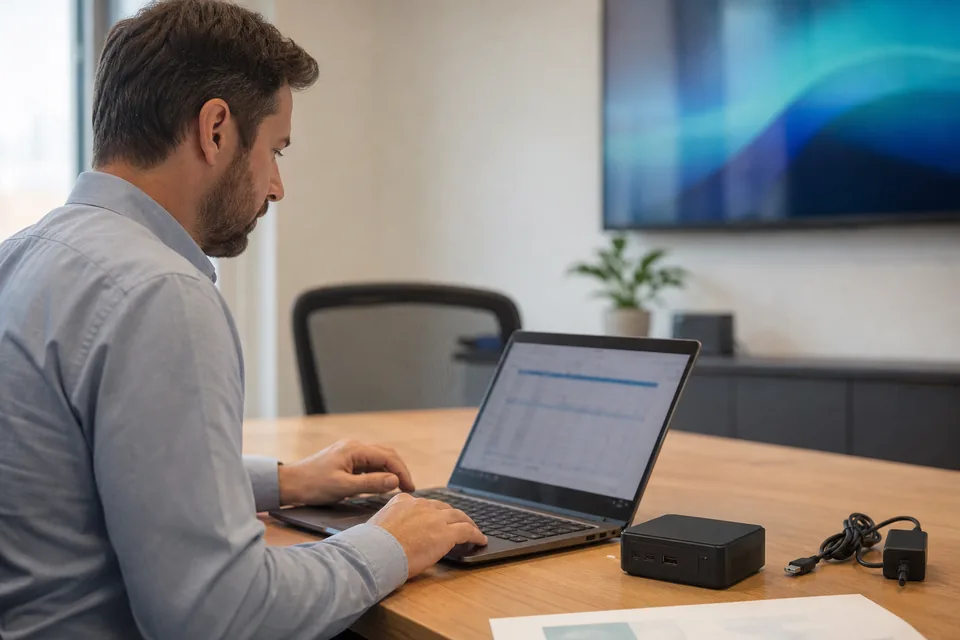
Operations manager comparing a digital signage quote on a laptop with a media player box on the desk

The first is the box. XOGO sells the Mini Max player at 69.99 USD for each screen, so 25 locations means about 1,750 USD in hardware on top of the license, plus shipping and a device to replace when one fails. If your TVs are recent smart TVs, or you already run sticks and mini PCs, that spend buys nothing.

The second is proof. XOGO's pricing page lists no play report or screenshots. A franchisor, a property manager or a clinic group that has to show a notice ran in every location for a week needs a record, not a promise.

The third is the term. The pricing page refers to a standard 12 month license and moves anything over 100 players to a quote. Buyers who want to add and drop screens by the month want to know the exit before they pay.

XOGO alternatives compared

US list prices per screen, read from each vendor's pricing page in October 2026. Yearly rates unless stated.

XOGO Yodeck TelemetryTV Fugo Displayer
Published price per screen Free, Pro 20 USD monthly or about 15 USD paid annually 8, 12 and 16 USD Entry 8, Core 13, Elite 16 USD Essential 20, Core 30, Enterprise 40 USD Essential 9, Professional 14, Network 24 USD yearly
Cost for 25 screens 4,500 USD a year paid annually, 6,000 monthly 3,600 USD a year on Premium 4,800 USD a year on Elite 9,000 USD a year on Core 4,200 USD a year on Professional
Player hardware Mini Max 69.99 USD Player sold with the plan Bring your own Optional, by quote Your smart TV or a 30 to 100 USD device
Proof of play Not listed on the pricing page Playback Reports on Premium Reporting on higher tiers Not a headline feature Play record plus timestamped screenshots on Professional
Free plan One player, 15 items No No One watermarked screen Start with three screens
Contract Standard 12 month license Monthly or yearly Annual only Monthly or yearly Monthly or yearly
Best for A handful of simple screens Lowest price per screen IT dashboards Dashboards from Power BI and Looker Existing TVs and proof of what played

Reading that table honestly

XOGO wins for a restaurant, clinic or shop with a few screens. The Free plan lets you start at zero, the Mini Max ships ready to plug in, Microsoft Teams Rooms support suits meeting room displays, and month to month it undercuts Displayer by 9 USD a screen.

It loses when you need a record of what ran, when your TVs can play without a box, or when you commit for the year. Yodeck Premium is the cheapest line in the table at 3,600 USD for 25 screens. Our own totals come from our pricing page, and the XOGO breakdown is in the XOGO pricing guide.

What a XOGO replacement costs at 10 and 25 screens

Software per year at each vendor's yearly rate. Players are shown separately.

XOGO Pro

10 screens is 1,800 USD a year paid annually or 2,400 monthly, 25 screens is 4,500 or 6,000 USD, plus 69.99 USD for each Mini Max you buy.

Yodeck Premium

10 screens at 12 USD is 1,440 USD a year and 25 screens is 3,600 USD, with playback reports. See the Yodeck pricing guide.

Displayer Professional

10 screens at 14 USD yearly is 1,680 USD and 25 screens is 4,200 USD, with unlimited team members, roles and approvals, groups by location and proof of play with timestamped screenshots. Month to month it is 29 USD a screen, which is more than XOGO monthly. A recent smart TV needs no box, and an older display needs a 30 to 100 USD Android, Chrome or Windows device. Every plan is on the pricing page.

How to move from XOGO without a dark screen

1. Find the license end date. XOGO licenses run 12 months. Note the date and the cancellation steps, and set a reminder eight weeks ahead.

2. Export your media. Download the images and videos from the XOGO library. Playlists are rebuilt from the source files, which takes about an hour per location.

3. Check what each screen can play. Displayer runs in the browser of a recent smart TV or on any Chrome, Android or Windows device. Our digital signage player page lists what works.

4. Keep XOGO running until the last screen moves. Pair one screen first and run the real loop for a week.

5. Set roles before launch. Invite each location manager as a team member, give them their own screens and switch on approvals.

6. Retire the boxes last. Once a location has run on the new platform for a week, the Mini Max can be removed or reused.

What proof of play looks like on Displayer

On Professional and above, Displayer keeps the play record for every screen and stores periodic, timestamped screenshots of what the screen rendered. A franchisor can show a promotion ran in every store, and a property manager can show a tenant the lobby carried their message. The details are on the proof of play page.

Which XOGO alternative to pick

Stay on XOGO when

You run a handful of simple screens, you pay monthly, you like a box that arrives ready to plug in and you do not need a play record.

Choose Yodeck when

You want the lowest price per screen with playback reports and a player shipped with the annual plan.

Choose Fugo when

Your screens show Power BI or Looker dashboards and you accept 30 USD a screen on the yearly Core plan. See the Fugo pricing guide.

Choose Displayer when

The screens are TVs you already own, several people publish, and you must show what each one displayed. Professional is 14 USD a screen yearly or 29 monthly, with three screens to start.

What is the best alternative to XOGO?

It depends on what you were missing. Yodeck Premium is cheapest at 3,600 USD a year for 25 screens. Displayer Professional costs 4,200 USD a year for 25 screens and adds screenshot proof of play on screens you already own, against 4,500 USD for XOGO Pro paid annually.

Is XOGO free?

Partly. The Free plan covers one player and one user with a 15 item library and videos up to 60 seconds. Pro is the paid plan for more users, longer video and more screens, at 20 USD per player a month.

How much does XOGO cost for 25 screens?

About 4,500 USD a year on Pro paid annually, or 6,000 USD paying monthly. Buying a 69.99 USD Mini Max for each screen adds about 1,750 USD once.

Is there a cheaper alternative to XOGO?

Yes on the annual rate. Yodeck Premium is 3,600 USD a year for 25 screens and Displayer Professional is 4,200 USD, both below 4,500 USD for XOGO Pro paid annually. Paying XOGO monthly, 6,000 USD a year, costs more than both.

Can I use my XOGO players with another platform?

Not usually. The Mini Max is sold for XOGO, so plan to run the new platform on the TVs, sticks or mini PCs you already have and reuse or sell the boxes after the move.

Does XOGO have proof of play?

Its pricing page lists no play reports or screenshots, so ask what reporting exists on Pro. Displayer Professional keeps a play record with timestamped screenshots of what each screen rendered.

How long does it take to switch from XOGO?

About an hour of media export and rebuild per location, then a week of running one screen in parallel. Start eight weeks before the license ends.

Price your screens before the XOGO renewal

Pair three screens you already own, run your real content for a week, and put the yearly total next to XOGO Pro plus the players.