Displayer

TelemetryTV alternative and TelemetryTV competitors compared on price per screen

The usual TelemetryTV alternative is a per screen platform that puts proof of play on a lower tier, without an annual term or a 10 device minimum. TelemetryTV only records proof of play on Elite, at 16 USD per device a month, billed yearly, for at least 10 devices, so 25 screens cost 4,800 USD a year. Displayer Professional covers the same 25 screens for 4,200 USD a year, or 29 USD a screen month to month, and stores timestamped screenshots of what each screen showed. Kitcast, Yodeck and ScreenCloud are the other names on most shortlists, and each wins on something different.

Rebuild one of your TelemetryTV screens before the renewal

Type your company name and three notices, and the builder renders a working screen in your browser with the weekly schedule behind it. No account and no device to ship. If you are weighing a TelemetryTV renewal, two minutes here shows whether a lobby loop or a floor notice board runs the way your team expects before anyone touches the screens on the wall.

Venue

Orientation

Layout

Put this on a screen
Weekly schedule
  • Venue: restaurant, retail store, clinic, gym, office, school, plant floor, church, senior living or real estate office
  • Orientation: landscape 16:9 or portrait 9:16
  • Layout: full bleed, main plus sidebar, or a menu board in three columns
  • Content: your business name and three short lines, prefilled for the venue you picked

The schedule strip underneath shows the same playlist placed on a weekly grid, which is exactly what the schedule view does inside the product.

Why IT teams look for a TelemetryTV alternative

TelemetryTV is a capable product, and most people searching for a replacement are not unhappy with the screens. They are unhappy with an invoice line, and it is usually the same one.

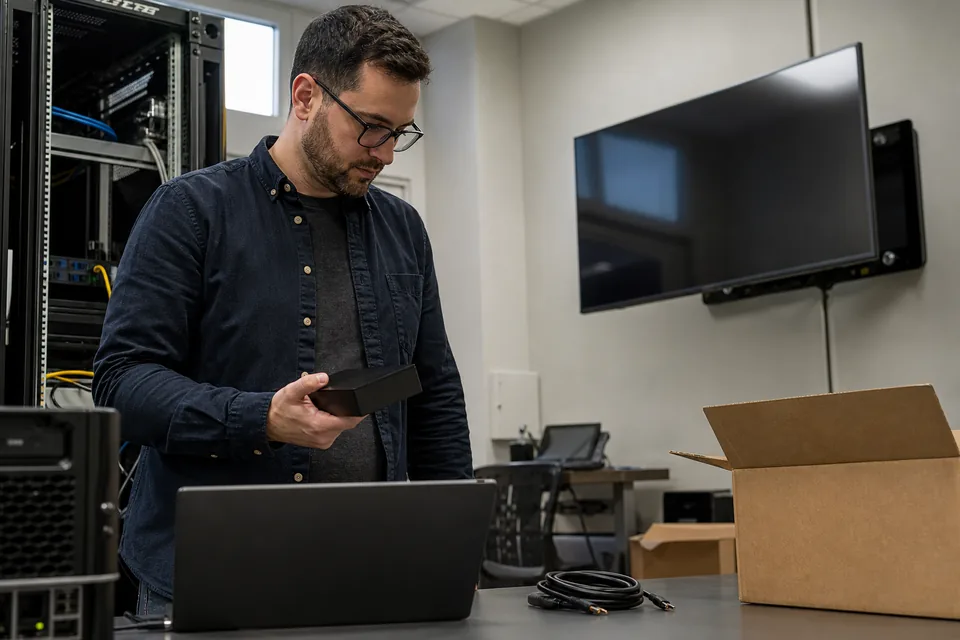
IT administrator holding a signage media player beside a workbench with cables and a laptop

Proof of play sits on Elite. Entry at 8 USD and Core at 13 USD are cheap per device and can be billed monthly, but neither records what each screen played. The moment a marketing team, a franchisor or an advertiser on a lobby screen asks for a playback report, the whole fleet moves to Elite at 16 USD, on an annual term only, with a 10 device minimum. A company with six screens pays for ten. A company that wanted to stay monthly cannot.

The second trigger is scale. Network and Enterprise include 500 and 100 devices and show no price on the pricing page. TrustRadius reports Network at about 4,500 USD a month. That is reasonable for a fleet that fills it and hard to justify for 60 screens, so mid-sized companies end up negotiating between Elite at full price and a plan sized for someone else.

The third is fit. TelemetryTV is built around apps and dashboards: more than 70 integrations, web page captures, an API from Core, serial port commands on Elite. An office that mostly shows notices, welcome screens and a few live dashboards pays for depth it does not use, while the people who edit the content are communications and facilities staff rather than developers.

TelemetryTV competitors compared

US list prices per screen per month, read from each vendor's pricing page in October 2026. Network and Enterprise figures that vendors do not publish are marked as reported.

TelemetryTV Kitcast Yodeck ScreenCloud Displayer
Entry price Entry, 8 USD Starter, 9 USD monthly or 7 USD yearly Basic, 8 USD Core, 20 USD yearly Essential, 19 USD monthly or 9 USD yearly
Proof of play Elite, 16 USD Not listed on Starter or Pro Playback Reports on Premium, 12 USD Proof of play logs on Pro, 30 USD yearly Play record plus timestamped screenshots on Professional, 29 USD monthly or 14 USD yearly
Minimum 10 devices on Elite None published None published None published Three screens
Billing Entry and Core monthly or yearly, Elite yearly only Monthly or yearly Monthly or yearly Yearly for the listed rate Monthly or yearly on every plan
Single sign-on SAML listed in the feature comparison, plan not stated Pro, 14 USD monthly or 10 USD yearly Enterprise, 16 USD Enterprise, quoted Network, 49 USD monthly or 24 USD yearly
Player TelemetryOS hardware or your own supported device Your device or Kitcast hardware from 39 USD Yodeck player included with an annual plan Player device included on annual plans The browser on the TV or any Chrome, Android or Windows device
Best for Data dashboards and app heavy screens run by IT Low price per screen with SSO Lowest priced reporting tier IT security reviews with budget to match Multi-site teams that need proof of what was on screen

Reading that table honestly

TelemetryTV wins on depth. If your screens are mostly live dashboards, if you drive displays over RS-232, or if a developer pushes content through the API, it does things the cheaper platforms do not, and the 30 day trial runs with every Elite feature so you can confirm that before you buy. Its own TelemetryOS hardware also gives IT one device to manage everywhere.

Kitcast is the cheapest way to get single sign-on, at 10 USD a screen on the yearly rate, but its pricing page lists no proof of play. Yodeck has the cheapest playback reports at 12 USD. ScreenCloud costs the most of the published vendors and buys an enterprise track record. Displayer sits between Yodeck and TelemetryTV on price and is the only one here that keeps a picture of the rendered screen next to the play record.

What a TelemetryTV replacement costs at 25 screens

Software only, each vendor's proof of play tier at its yearly rate unless stated. Hardware is extra on every line except where a player comes with the plan.

TelemetryTV Elite

25 devices at 16 USD is 400 USD a month and 4,800 USD a year, on an annual term. Staying on Core at 13 USD saves 900 USD a year and drops proof of play. The plan by plan detail is in our TelemetryTV pricing guide.

Kitcast Pro

25 screens at 10 USD yearly is 250 USD a month and 3,000 USD a year, with SSO and audit logs but no proof of play listed. The plans are broken down in the Kitcast pricing guide.

Yodeck Premium

25 screens at 12 USD is 300 USD a month and 3,600 USD a year, with a player on the annual plan. SSO needs Enterprise at 16 USD, which brings it back to 4,800 USD. See the Yodeck pricing guide.

ScreenCloud Pro

25 screens at 30 USD is 750 USD a month and 9,000 USD a year on the annual rate. The tiers and the device offer are in our ScreenCloud pricing breakdown.

Displayer Professional

25 screens at 14 USD on the yearly rate is 350 USD a month and 4,200 USD a year, with screenshot proof of play, roles and approvals and unlimited team members. Month to month it is 29 USD a screen, 725 USD a month, with nothing to renew. If IT requires SSO and an audit log, Network is 24 USD yearly, 7,200 USD a year for 25 screens. Every plan is on the pricing page.

Against Elite, the yearly saving on Displayer Professional is 600 USD at 25 screens. The bigger difference for a smaller fleet is the minimum: six screens on Elite are billed as ten, 1,920 USD a year, while six on Displayer Professional cost 1,008 USD.

How to move off TelemetryTV without a dark screen

1. Find the renewal date. Elite is annual, so the term end is the date that matters. Check whether your account renews on its own and when cancellation has to reach TelemetryTV.

2. List what each screen really shows. Sort every playlist into slides and video, web pages and dashboards, and integrations. Slides move in an afternoon. Dashboards and app integrations take the longest, so start there.

3. Export your media. Download the images and videos you uploaded before the account closes. Anything built inside a TelemetryTV app has to be recreated from its source system.

4. Rebuild dashboards as web page items. Most dashboards already live at a URL in the tool that produces them. Point a web page item at that URL and the screen shows the live view, with access handled by that tool.

5. Decide what plays the content. A recent smart TV can run the player in its own browser. Where it cannot, a small Chrome, Android or Windows device takes over behind the screen. Our digital signage player page lists what works.

6. Run one screen in parallel. Pair one display on the new platform a few weeks before the end date, run the real loop for a week, then move the rest by floor or by site.

What proof of play looks like on Displayer

A play log says a file was sent and the player reported it as played. That is what most platforms export, and it is fine until a screen sits on the wrong HDMI input or behind a dead backlight for a week while the log keeps reporting success.

On Professional and above, Displayer keeps the play record for every screen and stores periodic, timestamped screenshots of what the screen actually rendered. When a sponsor, a franchisor or a department head asks whether their message ran in the lobby last Tuesday, you send the record and the picture. The proof of play page shows what the export contains. For offices that mostly run notices and dashboards, the office digital signage page shows the usual layout per floor.

Which TelemetryTV alternative to pick

Choose Kitcast when

Single sign-on is a hard requirement and nobody asks for playback reports. At 10 USD a screen yearly on Pro it is the cheapest SSO on this list.

Choose Yodeck when

The lowest price for playback reports decides it and you want a player shipped to each site with the annual plan.

Choose ScreenCloud when

An enterprise security review is part of the purchase and a budget of 30 USD a screen or more is approved.

Choose Displayer when

More than one team edits the screens, you need proof of what was on the wall, and you want monthly billing or fewer than ten screens on the reporting tier. Professional from 14 USD yearly, three screens to start, and nothing to buy from us.

Stay on TelemetryTV when

Your screens are mostly live dashboards and app integrations, you use serial port control or the API, and an IT team manages the fleet. Then ask for multi-year pricing on Elite rather than switching.

What is the best alternative to TelemetryTV?

For most office and multi-site teams it is a per screen platform that includes proof of play below the top tier. Yodeck is the cheapest at 12 USD, Kitcast the cheapest with SSO at 10 USD yearly, and Displayer adds timestamped screenshots from 14 USD a screen yearly with monthly billing and no 10 device minimum.

Who are TelemetryTV's competitors?

The names on most shortlists are Kitcast, Yodeck, OptiSigns, ScreenCloud, Rise Vision, NoviSign, Xibo and Displayer. For app heavy dashboard walls, ScreenCloud is the closest match on depth. For lobby, office and floor screens edited by non-technical staff, the per screen platforms with simpler editors compete directly.

Is there a cheaper alternative to TelemetryTV?

Yes, at the tier with proof of play. 25 devices on TelemetryTV Elite cost 4,800 USD a year. Yodeck Premium is 3,600 USD and Displayer Professional 4,200 USD for the same screens. Below ten screens the gap widens, because Elite bills a 10 device minimum and Displayer starts at three.

Which TelemetryTV plan includes proof of play?

Elite. It costs 16 USD per device a month, is sold on an annual term only and needs at least 10 devices. Entry and Core include playlist scheduling, user activity logs and the API on Core, but no proof of play or device playback logs.

Can I pay for TelemetryTV monthly?

On Entry and Core, yes. Elite, the plan with proof of play, is annual only. If monthly billing matters, Displayer bills every plan monthly or yearly, so proof of play with screenshots is 29 USD a screen month to month on Professional.

Can I use my TelemetryOS devices with another platform?

TelemetryOS is TelemetryTV's own operating system, so plan on the screens moving, not necessarily the boxes. The usual path is to keep the displays and play from the TV's own browser, or add a small Chrome, Android or Windows device behind each one. Check with TelemetryTV what the hardware can run once the subscription ends.

How long does it take to switch from TelemetryTV?

About a day per site for slides and video, longer for dashboards and app integrations that have to be rebuilt. Pair one screen first, run your real loop for a week, then move the rest. Start a few weeks before the Elite term ends so nothing renews by accident.

Does Displayer show live dashboards like TelemetryTV?

Yes, through a web page item that shows an existing dashboard at its URL and refreshes on the screen. It has fewer packaged integrations than TelemetryTV's 70 plus apps, so a dashboard needs to be reachable as a web page. Access stays with the tool that owns the data.

Price three screens before the Elite term renews

Pair three displays you already own, run your real loop for a week, and put the yearly total next to your TelemetryTV renewal while there is still time to decide.